Proof of service software for cleaning, grounds and security crews
Proof your crew showed up.
Every visit becomes a record: a GPS check-in against the site, timestamped photos and the finished checklist. The report goes to your client after check-out, so they read it before they start asking.
No card required. The trial runs on the Crew plan.
- Check-in
- Time and GPS against the site geofence
- Evidence
- Timestamped photos and a checklist
- Report
- Sent after check-out, or after you approve it
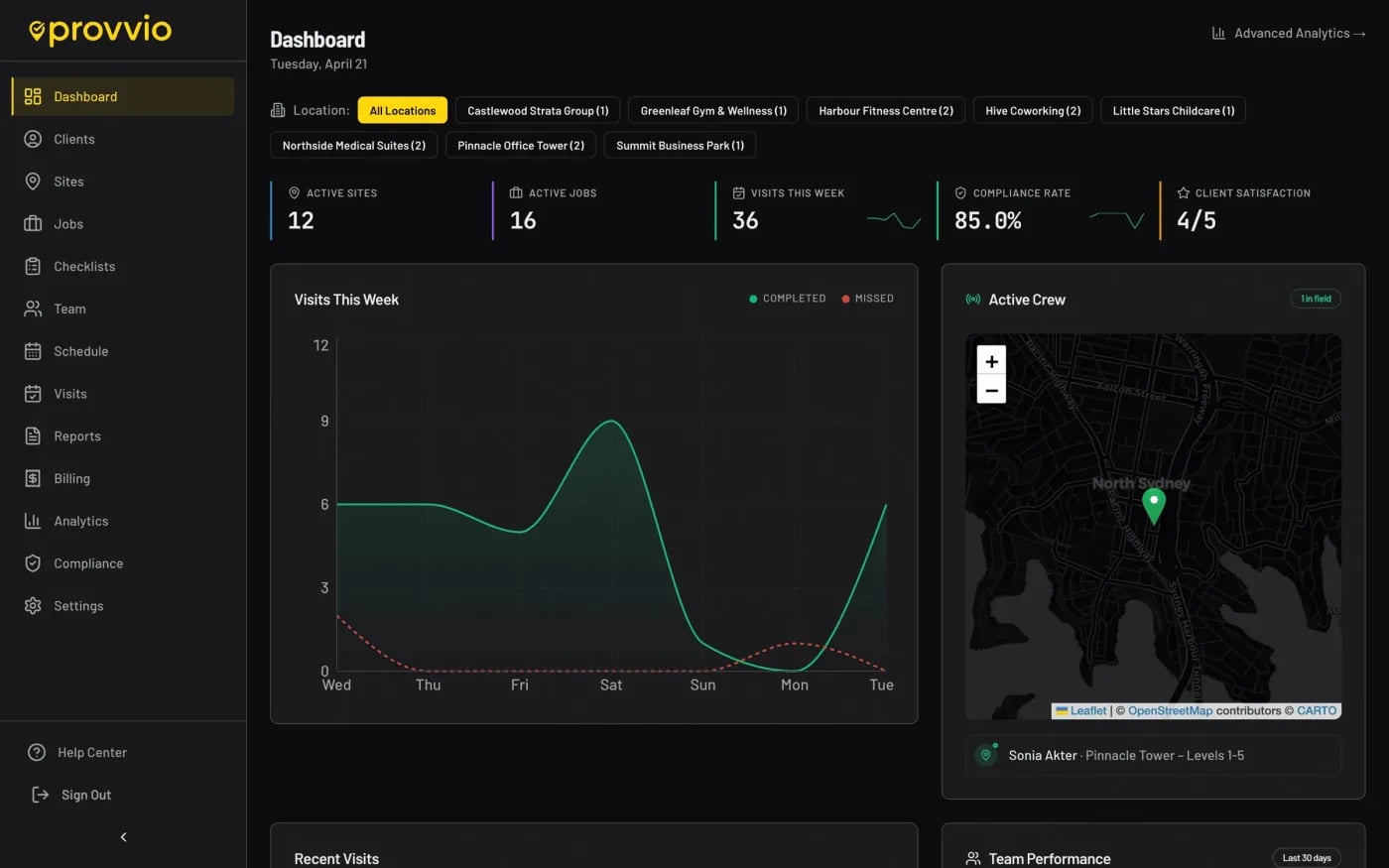
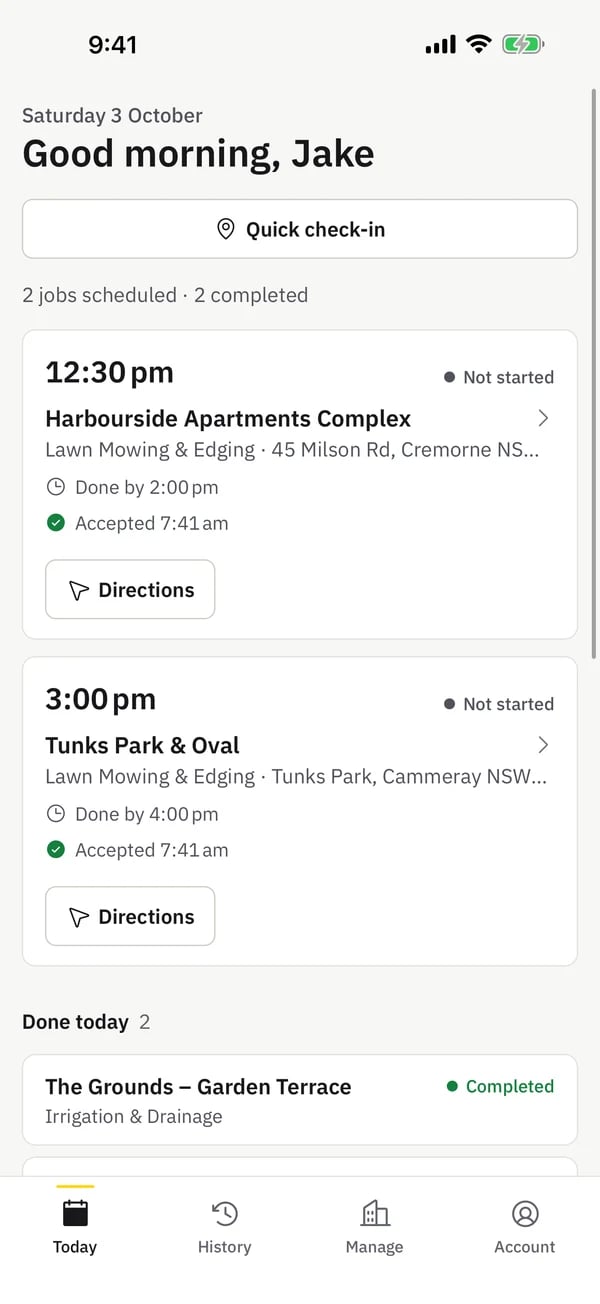
The office works from the web app; crews use the iOS and Android app. Screens are from a demo account with invented sites and staff.
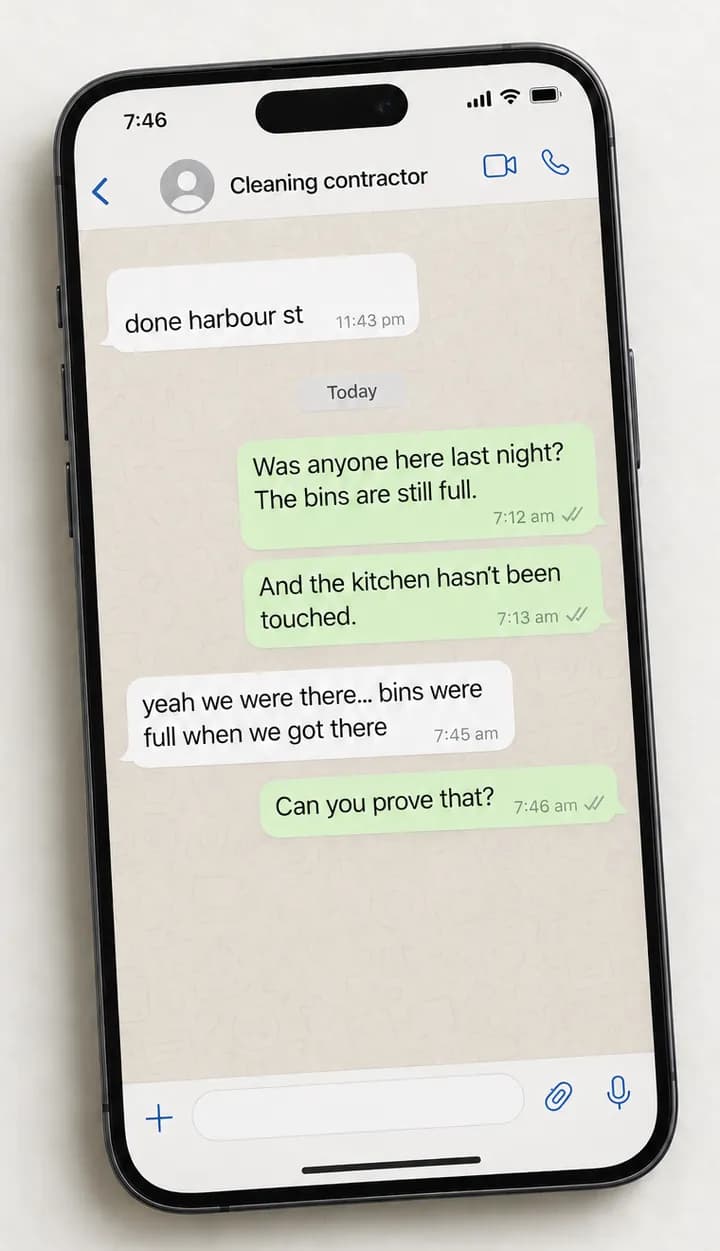
The 7am message
“Was anyone here last night?”
Your crew did the job at 11pm. By morning the only evidence is a two-word text, and the client is asking for proof you can't give them. provvio replaces the argument with a record they can open.
Without a record
With a provvio record
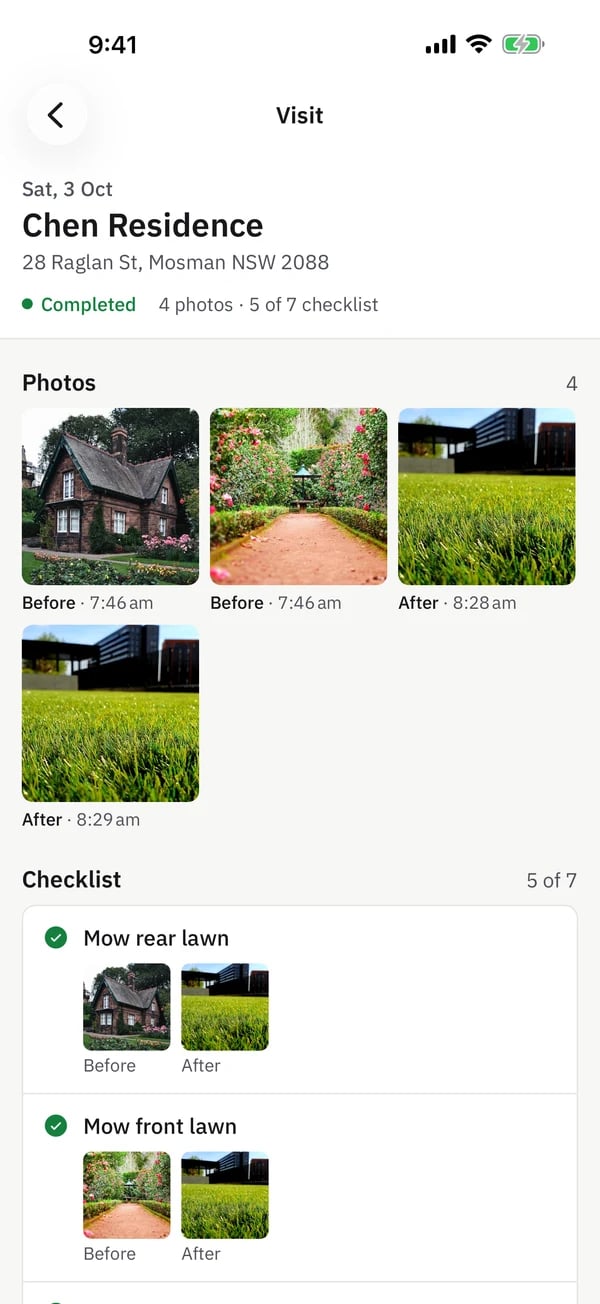
- Checked in
- Time and GPS, inside or outside the site geofence
- Photos
- Before and after, each with its own timestamp
- Checklist
- Each item marked done, with photos where required
- Checked out
- Time, location and time on site
- Report
- Emailed to the client and kept in their portal
The client doesn't have to take your word for it. They open the record.
How GPS check-in worksHow a record is made
Captured in the field. Released by the office.
Three screens do the work: the crew app on site, the visit list in the office and the report your client receives.
1. Capture
The crew records the work on site
Check-in stores the time and location against the site geofence. The app walks the crew through before photos, the checklist and after photos, and queues everything on the phone if signal drops.
Crew app for iOS and Android
The crew app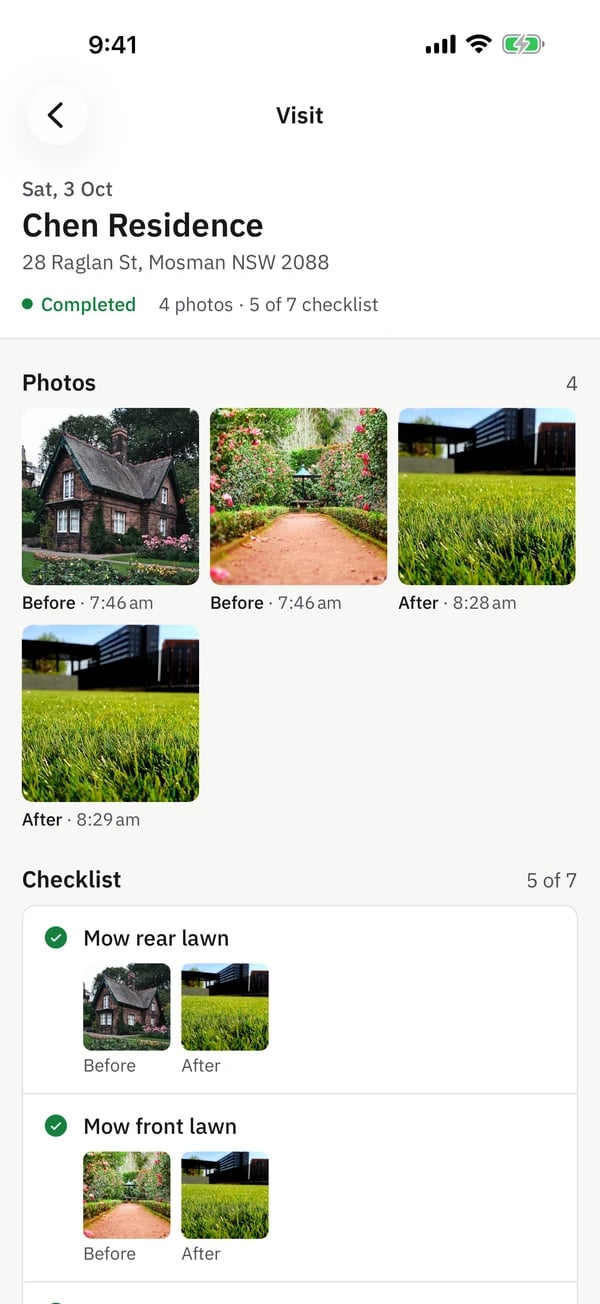
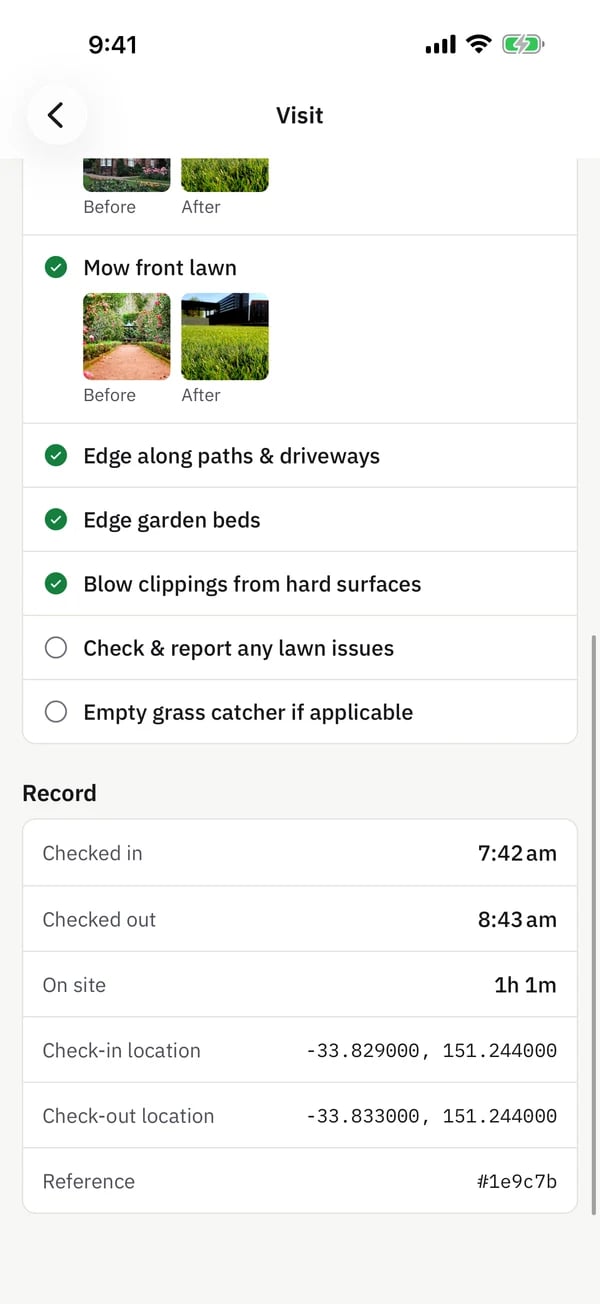
2. Review
The office sees one record per visit
Every visit lands in the web app with its time on site, photo count and checklist score. For clients who require it, reports wait for approval so you can check the photos before anything is sent.
Web app, approval optional per client
Compliance and audit trail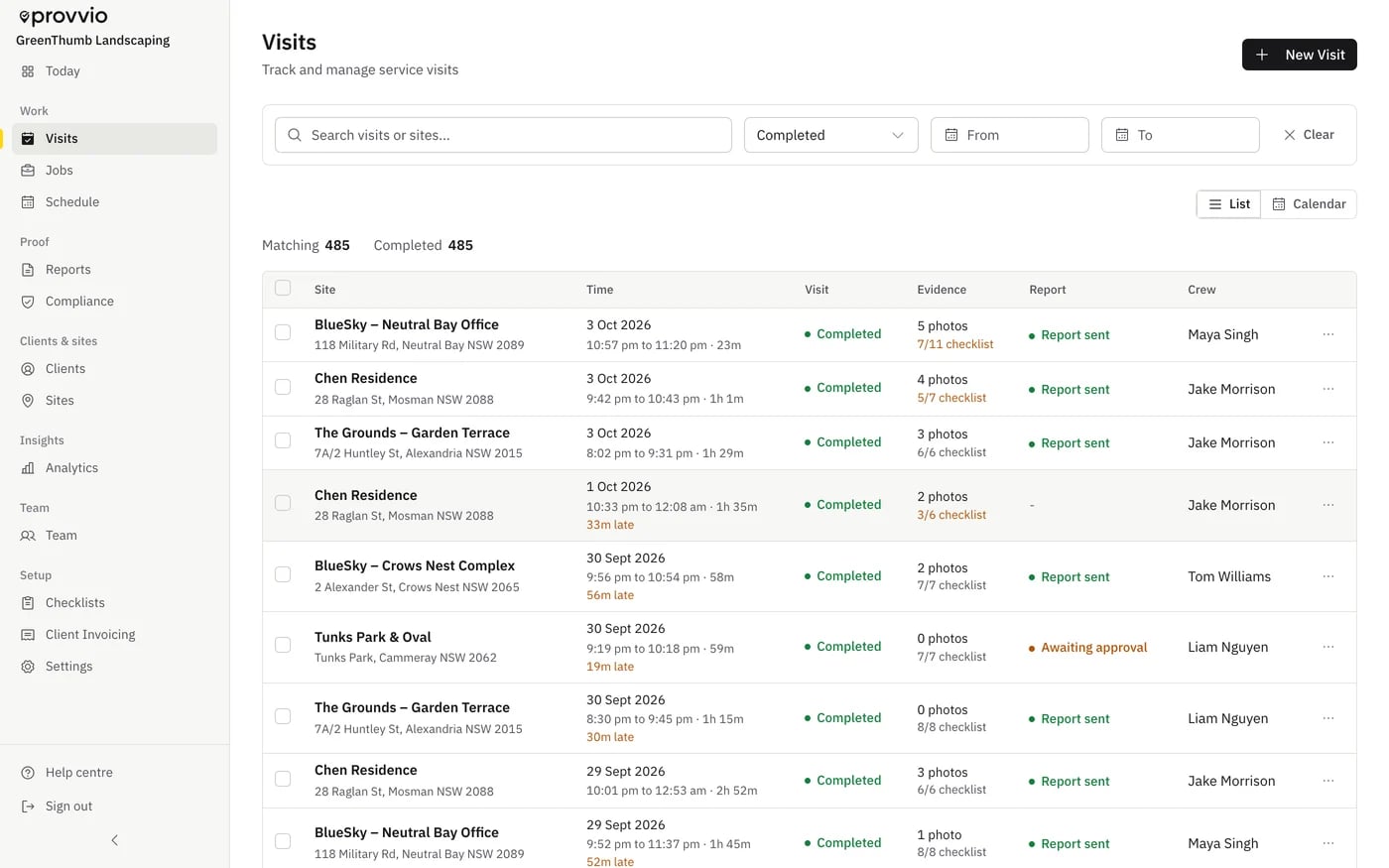
3. Send
The client gets the record, and keeps it
A PDF report is emailed after check-out, or after approval. Your logo and colours go on reports on paid plans. The client portal keeps every visit and report in one place they can open themselves.
Emailed PDF report and client portal
Proof of service reports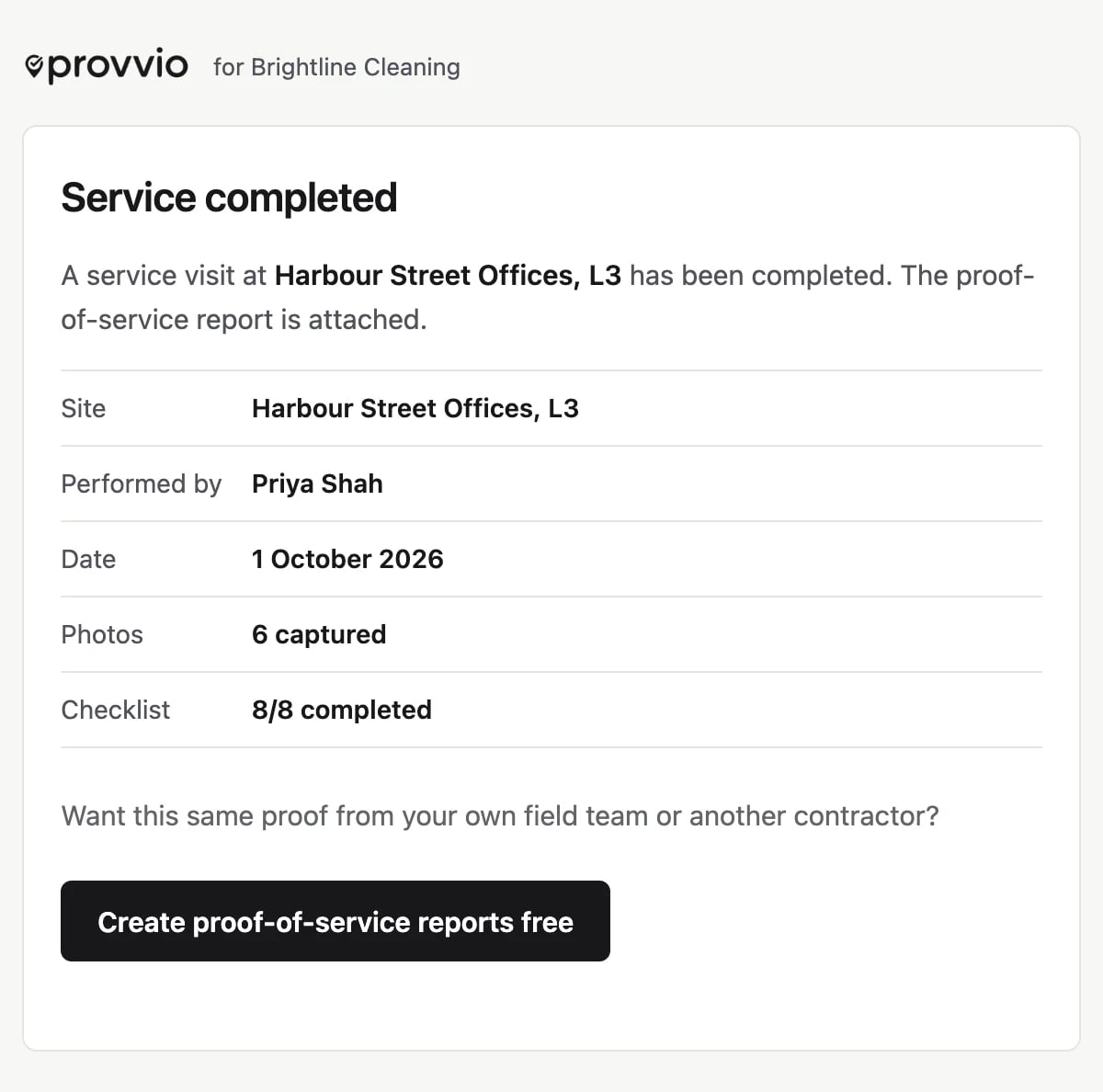
Industries
Same record. Different shifts.
- Commercial cleaningRoom-by-room checklists and before and after photos for work nobody sees being done.
- Grounds and landscapingThe lawn grows back by Friday. The timestamped record of Tuesday's service does not.
- Security patrolsPatrol visits with GPS check-in and check-out, photos and notes, so property managers see each visit instead of a logbook.
The client portal
Clients stop chasing you.
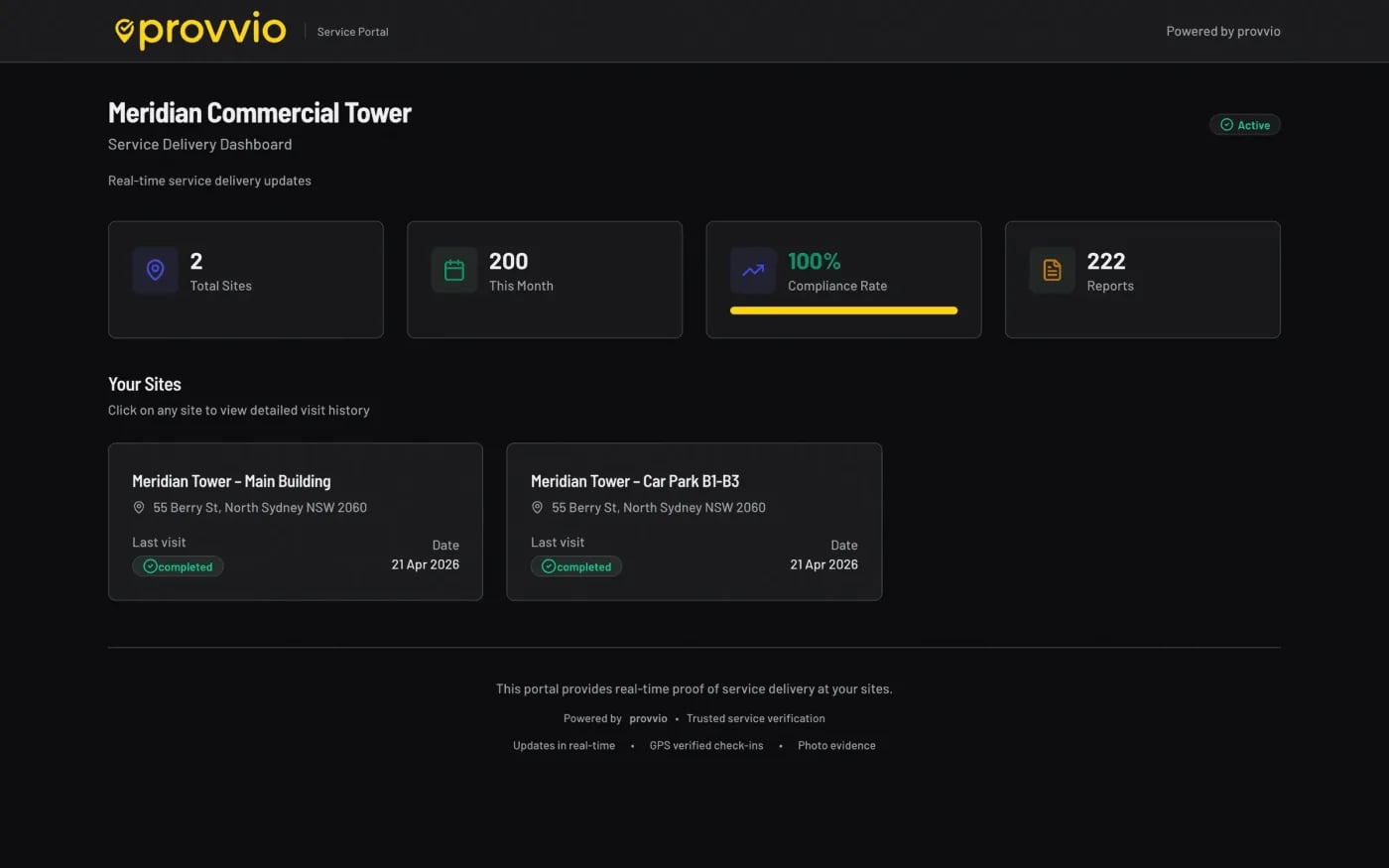
Each client gets a portal with their sites, visit history and reports. They can open it from a shared link, or set a password for repeat access.
- Your logo and colours on reports on paid plans
- Approval before sending, set per client
- Completed and missed visits for the month, per site
Why it exists
“I ran 20 cleaning crews and lost 3 contracts because I couldn't prove we showed up.”
Pricing
Flat tiers. No per-seat surprises.
Every plan includes GPS check-in, photos, checklists, branded reports and the client portal.
| Plan | Price |
|---|---|
| Starter | US$29/mo |
| Crew Recommended | US$79/mo |
| Fleet | US$199/mo |
No card required. The trial runs on the Crew plan.
Compared with
Built for one job: proving the work happened.
- vs WhatsAppPhotos in a chat thread have no site, no geofence check and no report the client can open later.
- vs JobberJobber is built around quotes and invoices. provvio leaves quoting to other tools and puts the visit record, compliance view and client portal first.
- vs ServiceM8ServiceM8 runs the trade job. provvio adds per-client report approval and a portal where the client reads every visit.
FAQ
Common questions
How is provvio different from WhatsApp for my crew?
WhatsApp has no GPS verification, no timestamped photos, no structured report, and every search is manual. provvio turns every visit into a dated record with check-in location, photos and checklist results, packaged into a report your client can read.
Do clients need to create an account to see reports?
No. Each client gets a unique secure link to their branded portal, no signup, no password. You can also email or SMS the PDF report directly if they prefer.
Does provvio work well for field crews on the move?
Yes. The mobile app is designed for fast check-ins, photo capture, checklist completion, and check-out without slowing the crew down. It is built for real sites, not office desks.
Can a single team member work for multiple companies?
Yes. provvio supports contractors who work for several businesses from one app. They switch between orgs with a tap and each business only sees their own work.
How are SMS notifications priced?
SMS is included on Crew and Fleet for US-based orgs. SMS pricing varies by country and we currently only support US sending. Australian and other regions get email notifications.
Can I brand the reports and client portal with my own logo?
Yes. Upload your logo, set your brand colour, and every PDF report and client portal is rendered in your branding on every paid tier. Fleet can also remove provvio branding entirely.
Does provvio work on iOS and Android?
Yes, there's a native iOS app on the App Store and a native Android app on Play Store. Admins and office staff typically use the web app, field crews use the mobile app.
How does GPS verification work?
Each site has a geofence. When a crew member checks in, provvio records their coordinates and whether they were inside the site radius. Check-out is recorded the same way, so the office can see where each visit started and finished.
Reading
Security patrols
GPS patrol reporting with a real audit trail
Patrol visits with GPS check-in, round checklist, photos and notes in one client-ready report.
Cleaning tenders
Build a stronger commercial cleaning tender response
Show procurement the QA, reporting, and proof they score before price.
Industry data
Commercial cleaning statistics for 2026
Market size, compliance exposure, growth, and review expectations.