Feature
Your crew knows the plan.
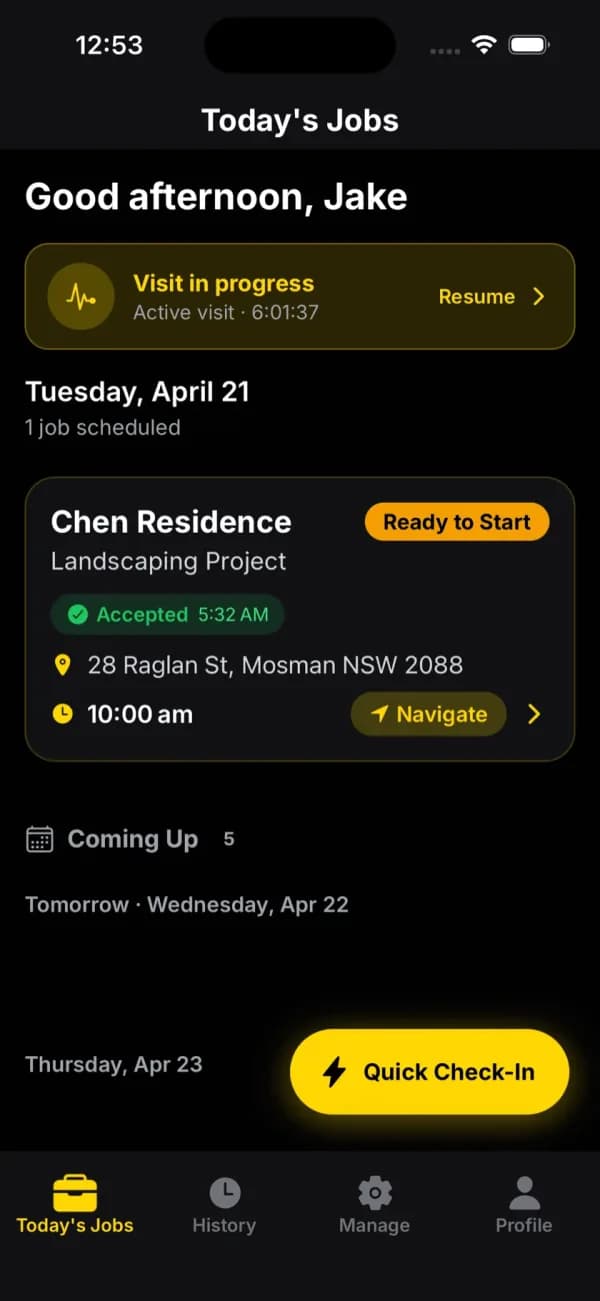
Field staff log into their own schedule, on web or the mobile app. One-tap navigation, today's jobs, tomorrow's plan. You stop being a human dispatcher.
No card required. The trial runs on the Crew plan.
What it does
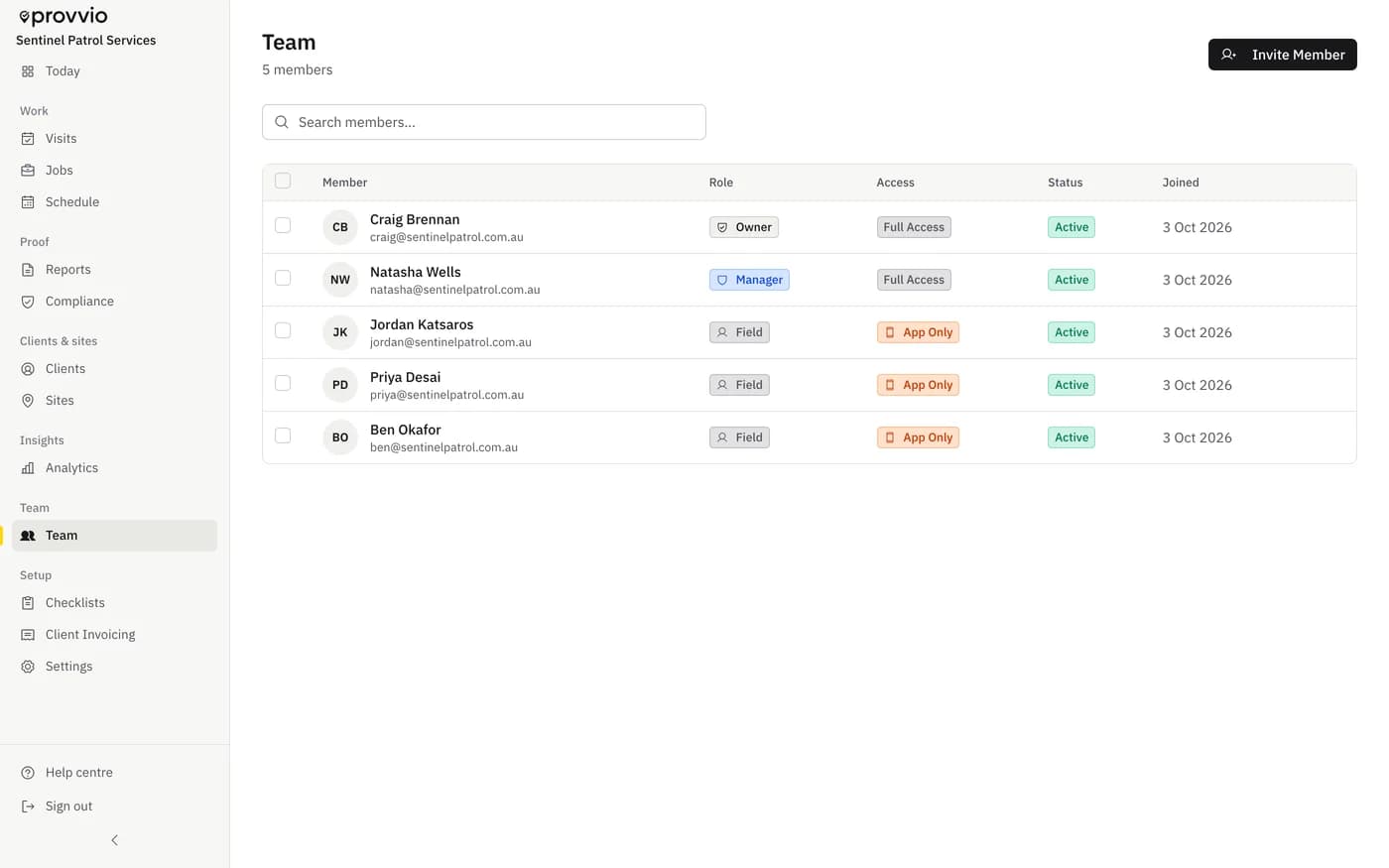
Four clean roles
Owner, admin (Manager), office (Billing Admin), member (Field). Permissions scoped to each.
Today, tomorrow, this week
Crew opens the app and sees their own schedule. No org-wide clutter.
One-tap navigation
Next site? One tap and they're in Apple Maps or Google Maps. Phones get them there.
Web + mobile
Field staff can use the app on iOS or Android, or log into the web portal. Same account, same data.
Billing admin role
Office staff who handle invoicing get access to financials without touching schedules or crew data.
Availability per member
Set recurring availability so auto-scheduling respects who's actually on shift.
Stop running dispatch from your phone.
Most small field service businesses run scheduling out of group chats and phone calls. Owner texts the schedule at 9pm, someone misreads, a job gets missed. The whole morning becomes damage control.
When crew see their own schedule in the app, that whole chain disappears. They know where to go, they check in on arrival, and the office sees it happen in real time.
Questions
Frequently asked
Can a member see jobs that aren't assigned to them?
No. By default, field members only see jobs assigned to them or their crew. Admins and owners see everything. Office/billing staff see what's relevant to their role.
Can I change someone's role?
Yes. Owners and admins can change any member's role from the Team page. Permissions update immediately.
Do field members need their own phone?
Yes. The mobile app is tied to a user account so check-ins and photos are attributed correctly. Each member gets their own login.
Is there a seat limit?
Starter covers up to 3 cleaners, Crew covers up to 15, and Fleet has no cleaner cap. Annual billing is priced as 10 months.
Related features