Feature
Before, during, after.
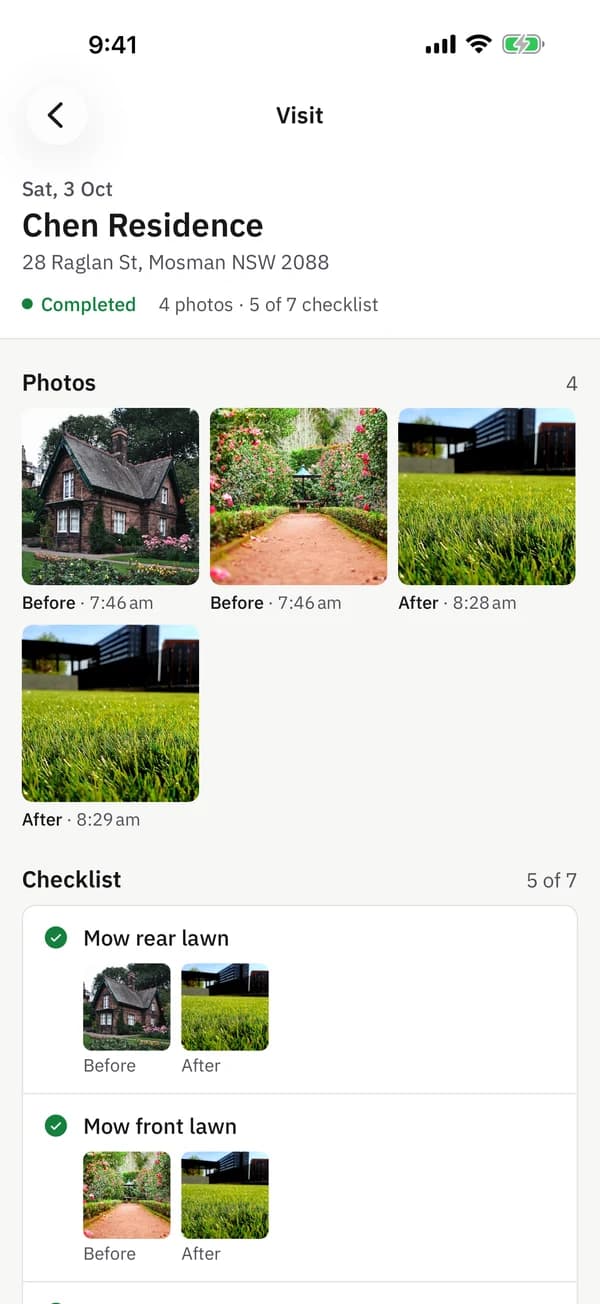
Every photo is categorised, timestamped, and GPS-tagged. Clients see the actual work, not a text saying 'all done'.
No card required. The trial runs on the Crew plan.
What it does
Three categories, automatic
Crews tag photos as before, during, or after. Reports are organised automatically, no sorting needed.
Timestamp + GPS baked in
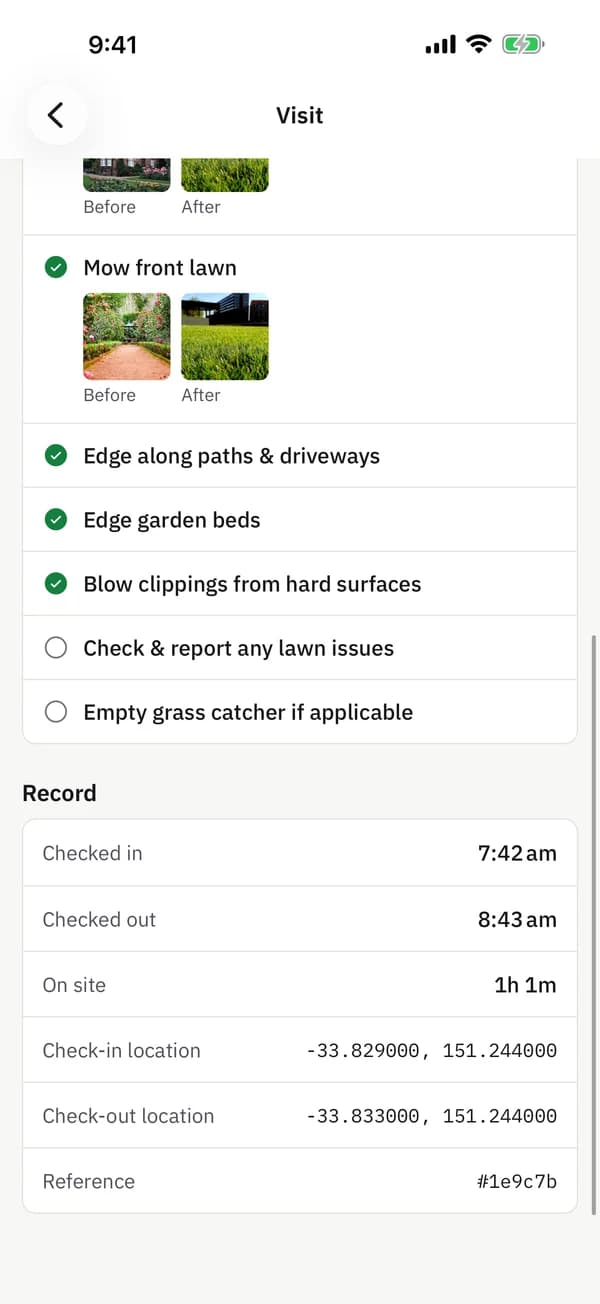
Every photo has the time it was taken and the coordinates. Impossible to fake, easy to verify.
Photo-required checklists
Mark checklist items as photo-required. The crew can't tick 'done' without proof.
Unlimited uploads
No silly caps. Send 5 photos per visit or 50. Your cost stays the same.
Side-by-side in reports
PDF reports render before/after pairs next to each other. The transformation sells itself.
Original resolution stored
We keep the full-res image for evidence. Clients see optimised previews, you have the original.
'Did you actually sweep up?' is a photo away.
Most disputes in field service come down to one question: what did the site look like when you left? provvio turns that into an immediate answer. Before shots show what you walked into. After shots show what you delivered.
Clients stop emailing questions. You stop digging through phone albums. The proof pack writes itself.
Questions
Frequently asked
How are photos stored?
Photos live on encrypted cloud storage and are accessible via the web app, mobile app, PDF reports, and the client portal. You can download originals any time.
Is there a limit on photos per visit?
No. Send as many as you need. Storage is included with every plan.
Can I add captions or notes to photos?
Yes. Crews can add a short caption to any photo, and the caption shows in reports and the client portal.
Can the photos be used in insurance or legal disputes?
Yes, the GPS coordinates and timestamp are recorded immutably, so photos are strong evidence for insurance claims or service disputes.
Related features