Feature

Reports that look like you wrote them.

Every visit turns into a branded PDF proof pack. Your logo, your colours, auto-sent to clients the moment the crew leaves. No copy-paste, no manual formatting.

provvio.com/reports/sample
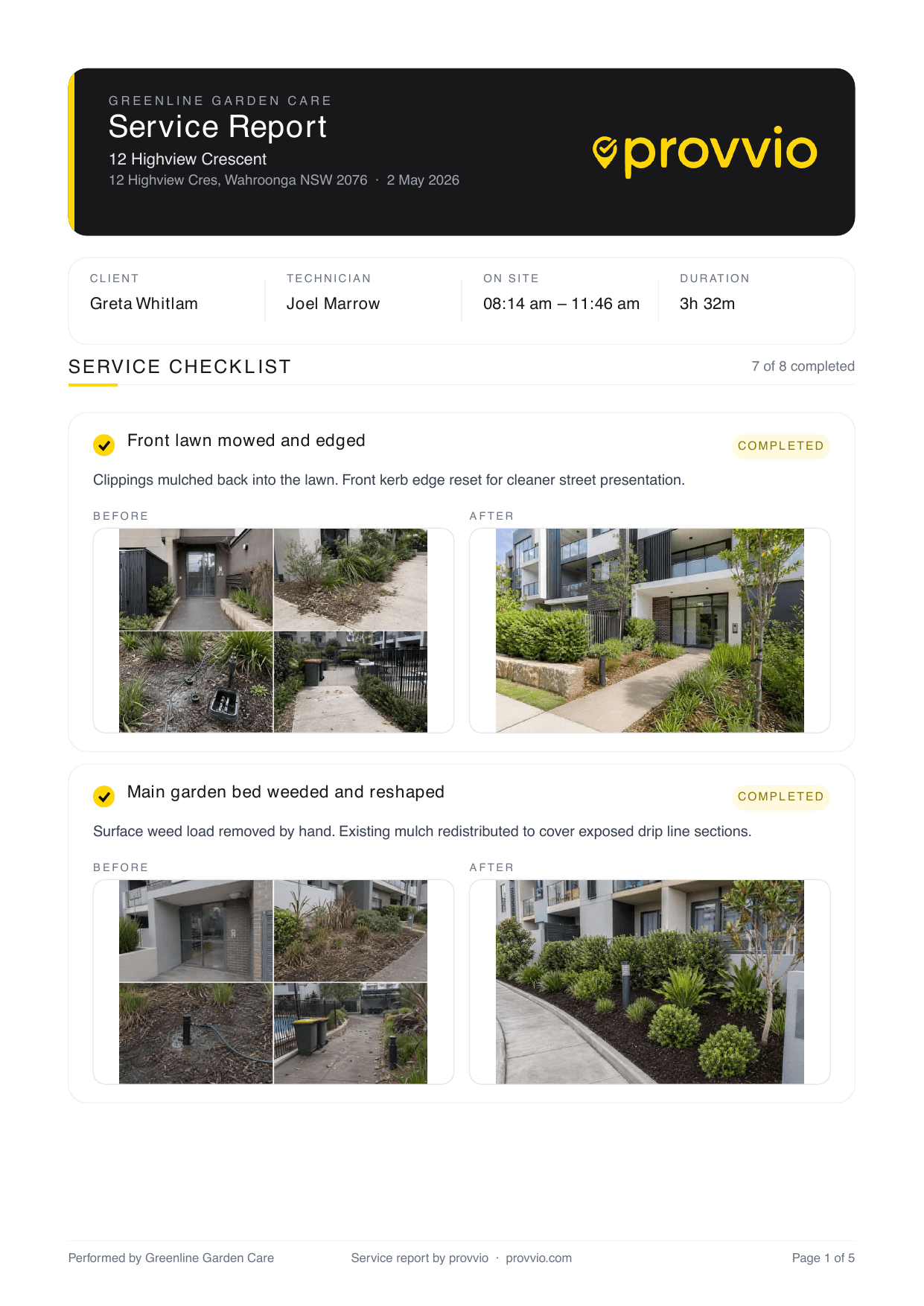
provvio-branded proof-of-service report preview showing completed visit details, checklist, and photos

Auto-generated on checkout

The crew finishes the visit, the PDF is ready. No office admin stitching it together.

Your brand, everywhere

Logo, colour palette, company name. Reports feel like yours, not a generic template.

Before/after side-by-side

Photos render in pairs. Clients see the transformation, not a dump of 30 thumbnails.

GPS + timestamp + checklist

Every report includes the proof: coordinates, duration, tasks completed, notes logged.

Approve before sending

Optional approval step for admins. Review, tweak, approve. Then it sends automatically.

White-label on Pro

Remove provvio branding entirely. Your clients see 'your company', not our logo in the footer.

Reports so good, clients send them to their insurers.

A good proof report does more than close out a visit. It's the thing your client forwards to their building manager, their insurer, or their own head office. If it looks amateur, they have to rewrite it. If it looks like yours, you've done the work for them.

provvio reports are designed to be sent, not just filed. Clean typography, consistent layout, your brand out front. The content is the proof. The polish is free.

provvio.com/reports
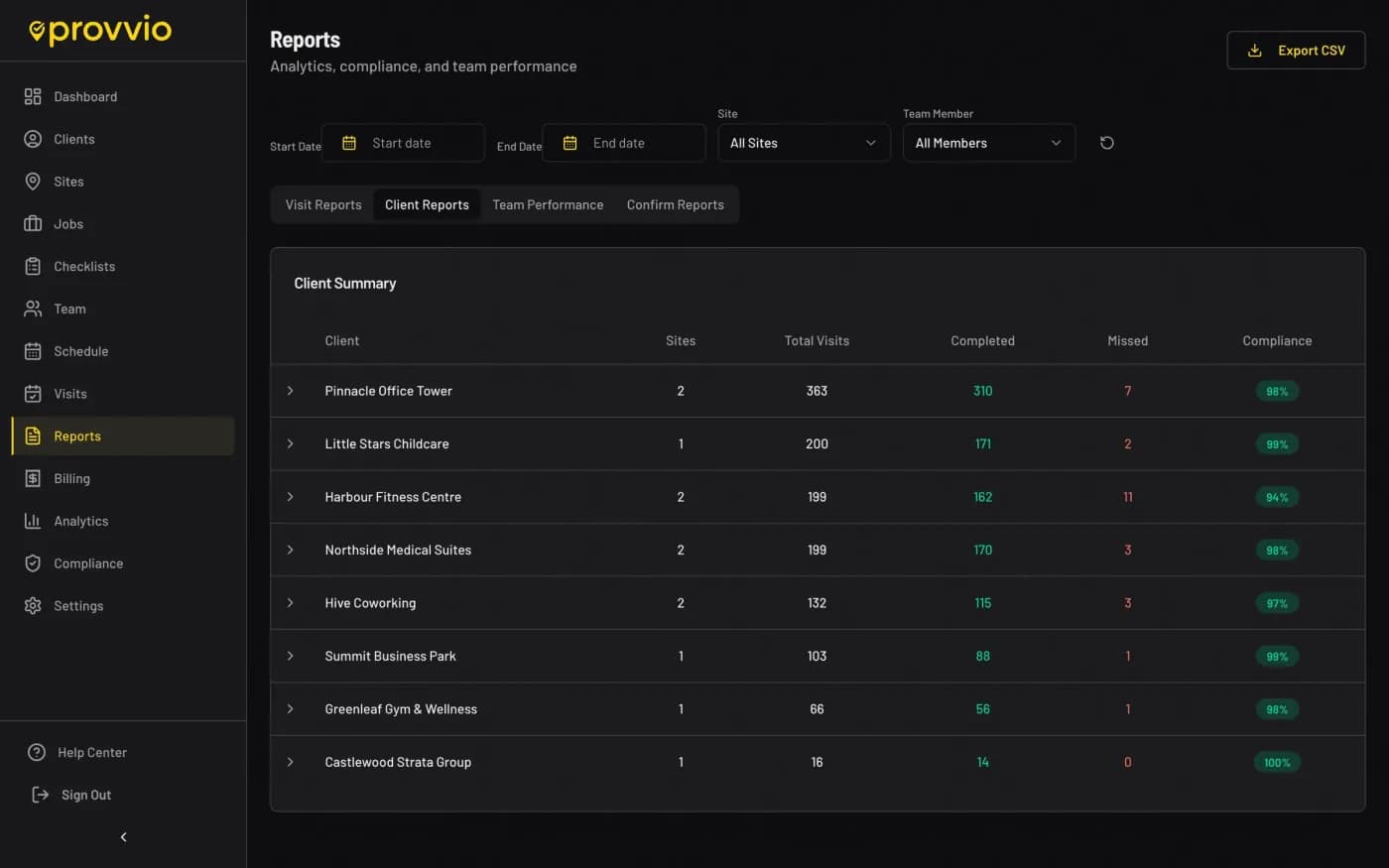
provvio client reports view showing per-client visit summaries and compliance stats

Sample reports

Download the exact kind of report your clients would receive.

These are fully populated sample PDFs with realistic notes, checklists, map proof, signatures, and photo evidence. One shows the Essentials experience with provvio branding. The other shows a fictional Pro customer using custom colours, logo, and white-label output.

Essentials sample

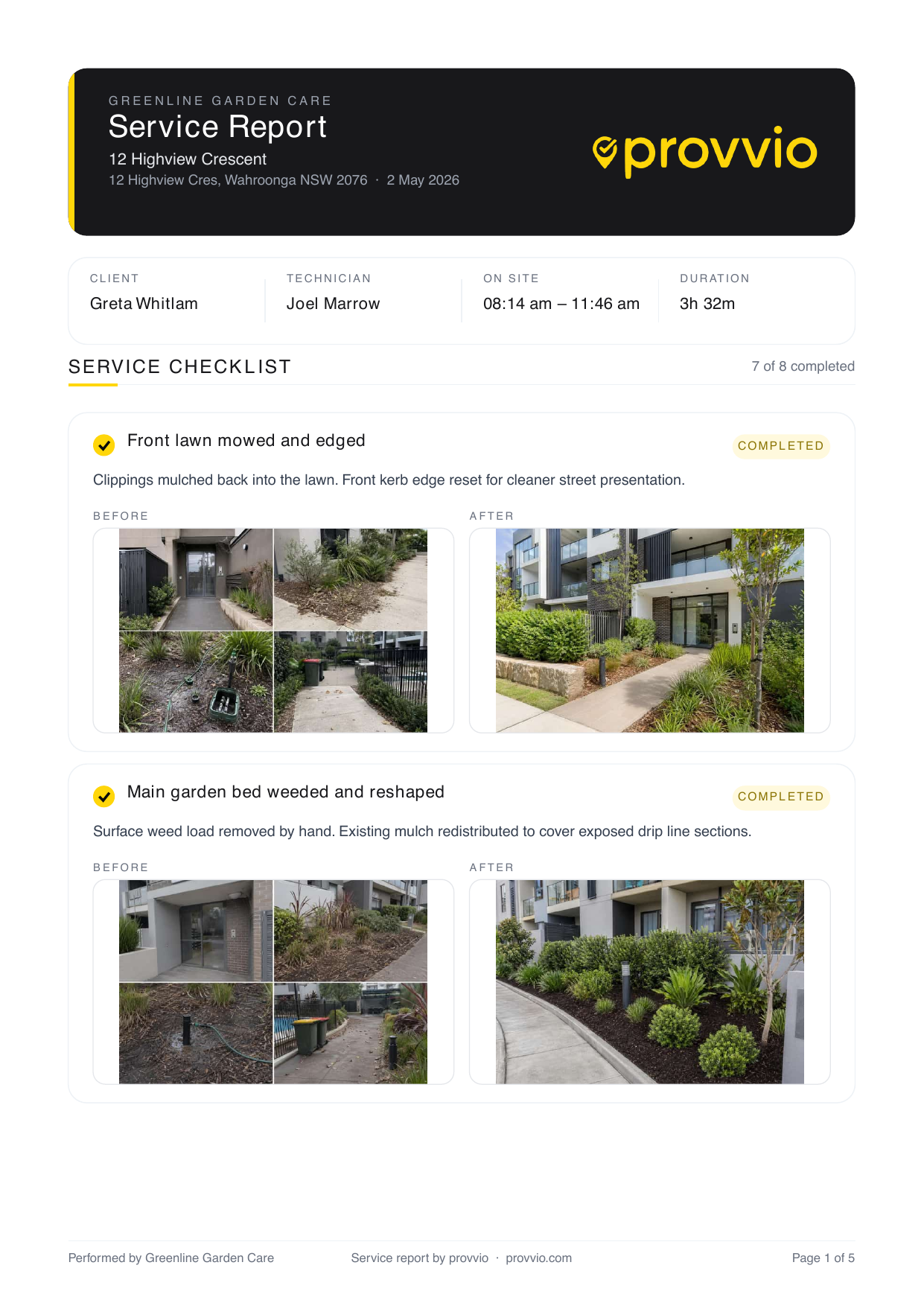
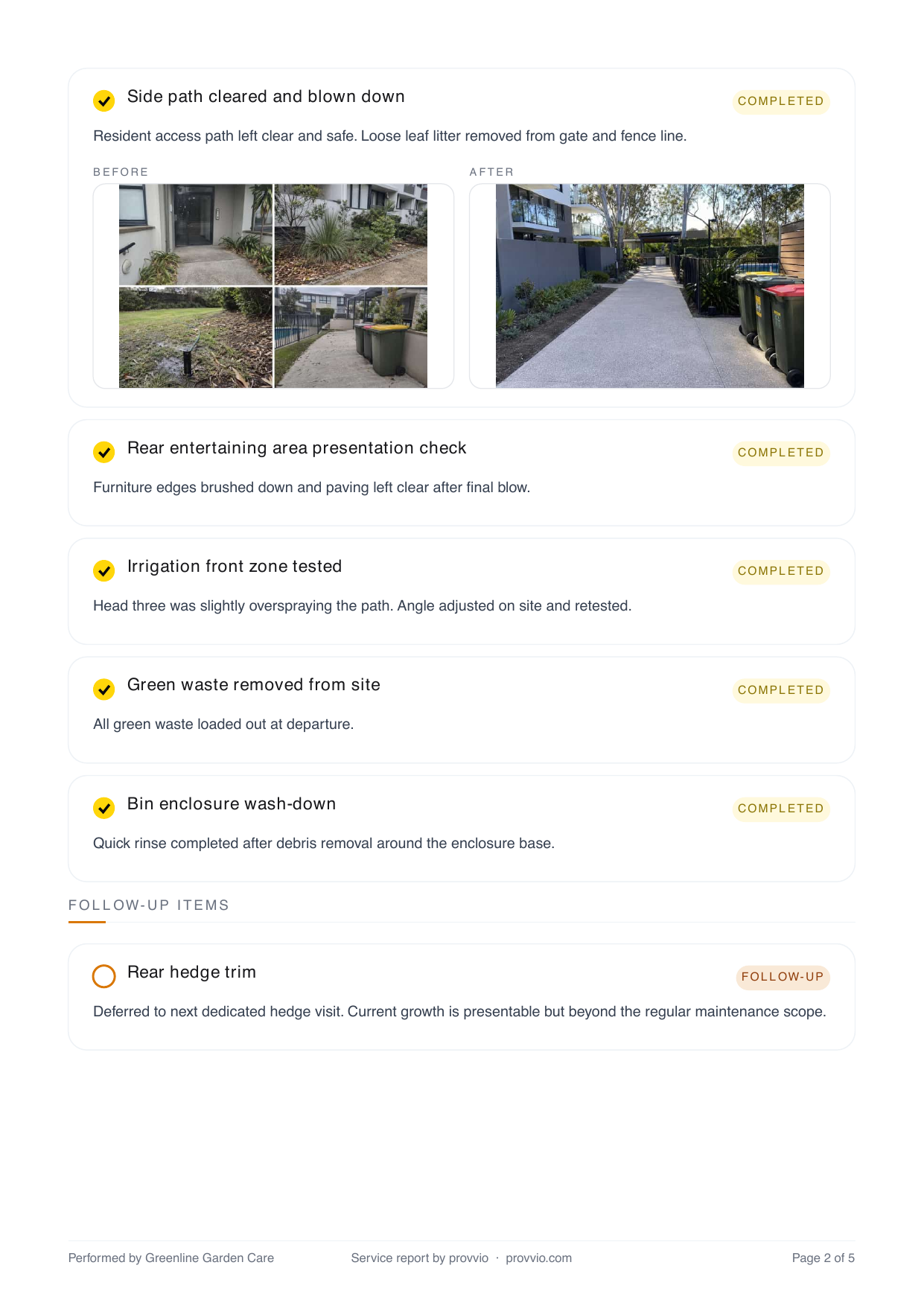
provvio-branded proof-of-service report

A realistic landscaping service report with multiple completed checklist items, notes, map proof, signature, and before, during, and after photos. This is what a non-white-label Essentials report looks like.

Essentials sample report first page previewEssentials sample report second page preview

Pro white-label sample

Custom branded client-ready report

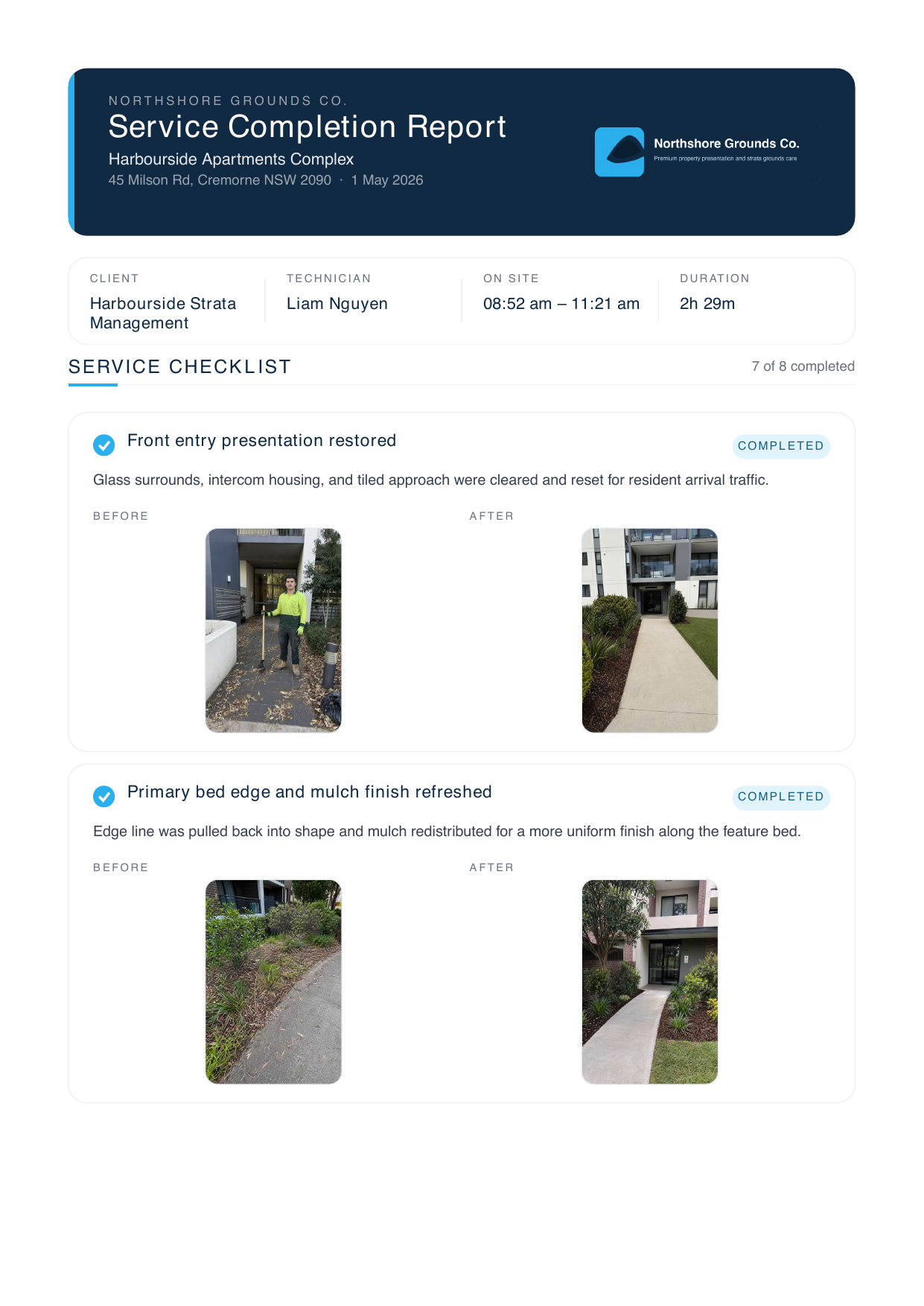
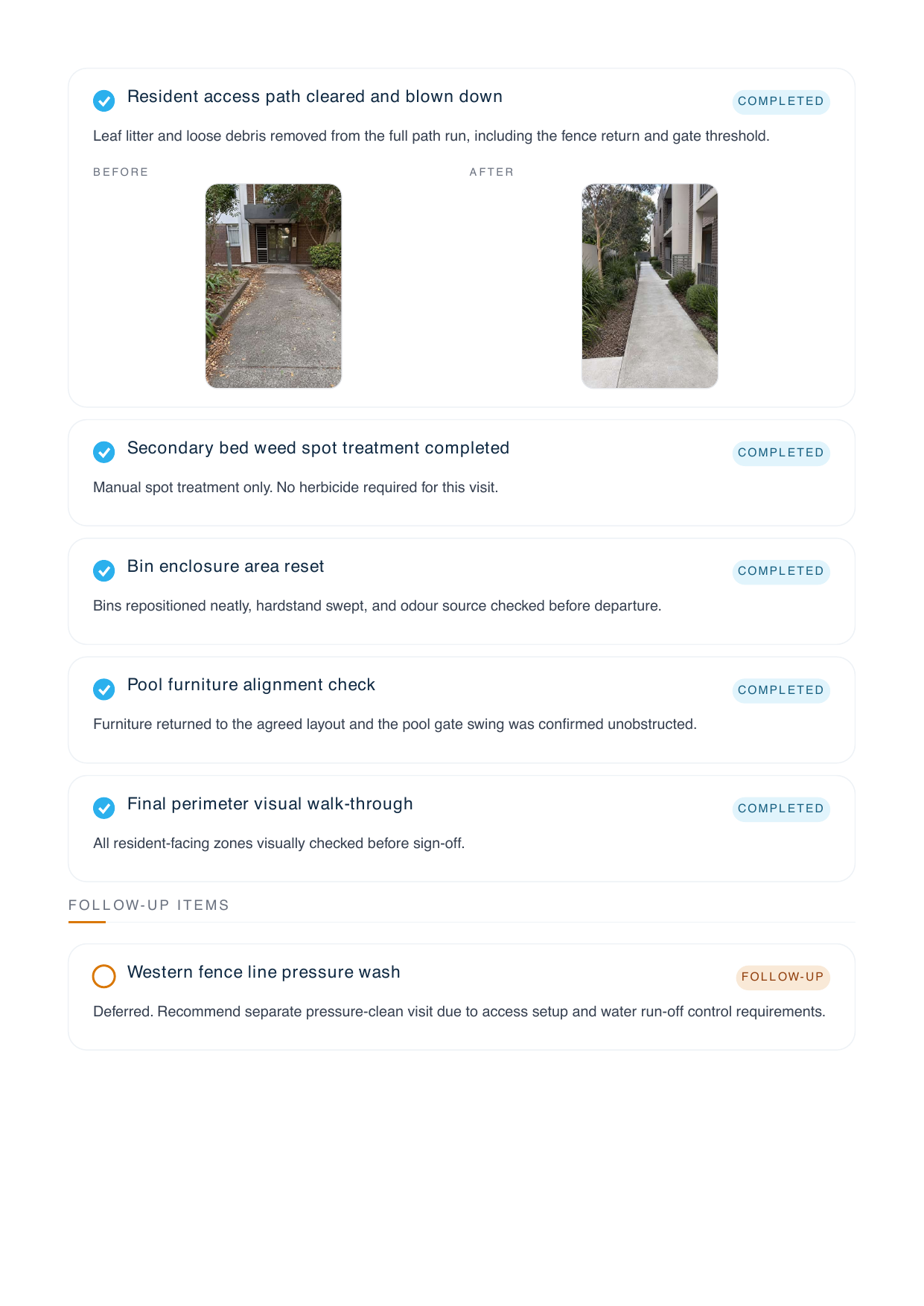
A fictional Northshore Grounds Co. sample showing custom logo, brand colours, footer, richer checklist commentary, and the same photo-heavy proof pack your Pro clients can send straight to building managers, strata, or insurers.

Pro branded sample report first page previewPro branded sample report second page preview
Want the branded version to feel like your own ops pack? On Pro, you can swap in your logo, colours, report footer, and white-label output while keeping the same proof structure.

Frequently asked

Can I customise the report layout?+
Yes, on the Pro plan. Choose from several layouts, toggle sections on/off, and set your brand colour and logo. The defaults are already tidy for most businesses.
How are reports sent to clients?+
Auto-emailed to the client's billing and site contacts when the visit closes. They can also download from the client portal any time, and you can resend or download as PDF from the web app.
Can I resend or download an individual report later?+
Yes. Once a visit report has been generated, you can resend it to the client or download the PDF again from the web app whenever you need it.
What proof is included in the report?+
Reports include crew name, timestamps, GPS-verified check-in and check-out, photos, notes, and checklist completion. It's everything a client needs to verify the visit happened properly.

Ready to prove the work happened?

Free 14-day trial. No credit card. See your first proof pack in under 10 minutes.