Compliance Audit Trail
GPS-verified visit history for audits and disputes (Crew/Fleet)
Note: The compliance audit trail is available on Crew and Fleet.
The Compliance page is a filterable audit-grade record of every completed and missed visit, designed for client audits, contract reviews, and dispute resolution.
Accessing Compliance
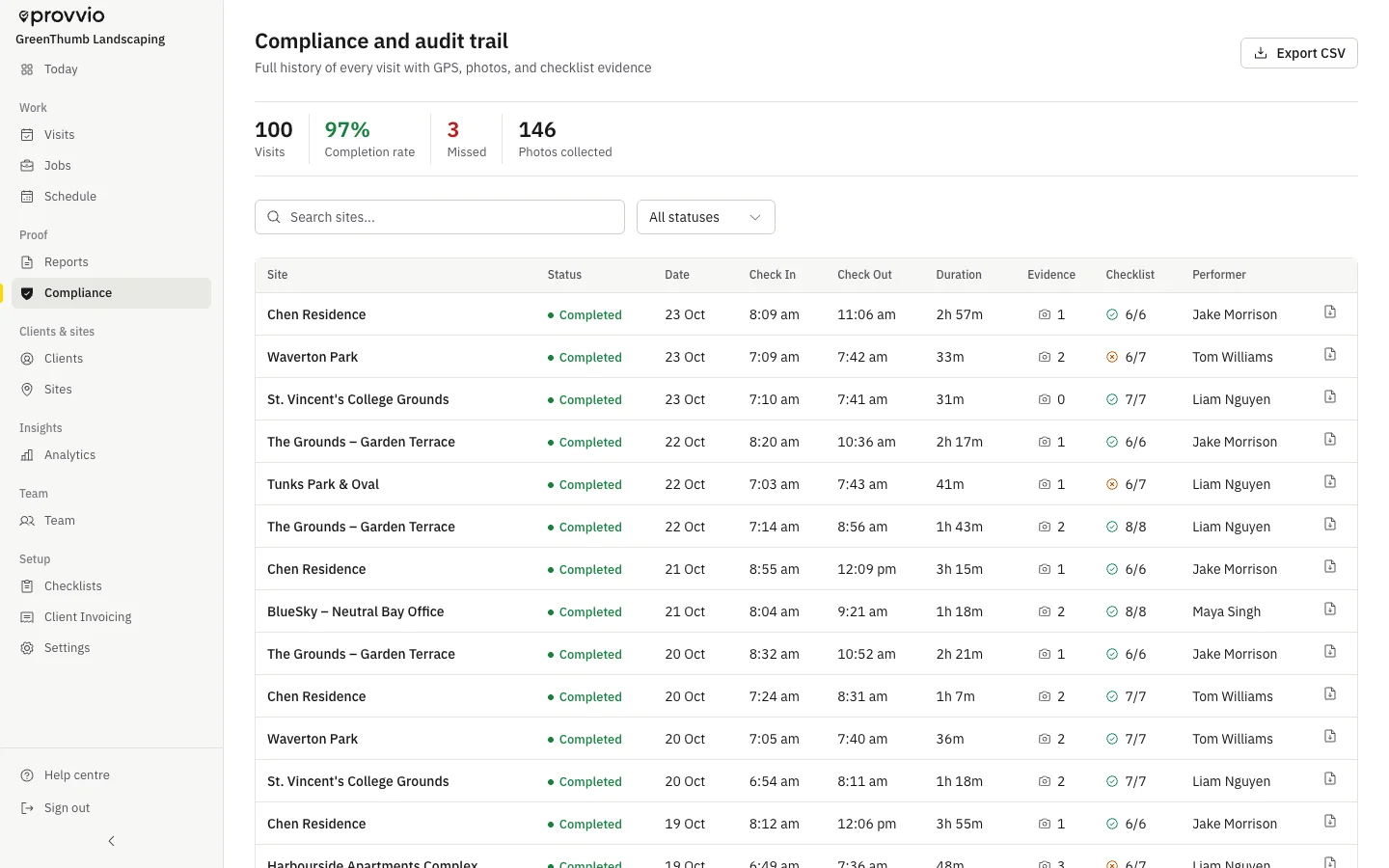 (opens full size in a new tab)
Go to Compliance in the sidebar. The page is available on Crew and Fleet. Starter users see an upgrade prompt.
What You Can Filter By
- Date range
- Site or client
- Team member
- Status - completed, missed, or both
- Geofence status - within or outside the site's geofence
What Each Row Shows
For every visit:
- Site, client, and team member
- Check-in and check-out times with GPS coordinates and accuracy
- Whether the GPS was inside the geofence
- Whether mock-location was detected on the device (a flag for trust)
- Number of photos and signature status
- Checklist completion summary
Use Cases
- A client questions whether you serviced their site on a given date - filter to that site and date and pull the GPS-verified record
- An audit asks you to demonstrate consistent service over a quarter - export the date range to PDF or CSV
- You want to spot-check field staff who frequently check in outside the geofence
Tips
- Combine compliance filtering with Client Invoicing to confirm only verified visits are billed
- Use Internal notes on visits to add context without exposing it to the client
Related product pages
Still need help? Contact [email protected]